

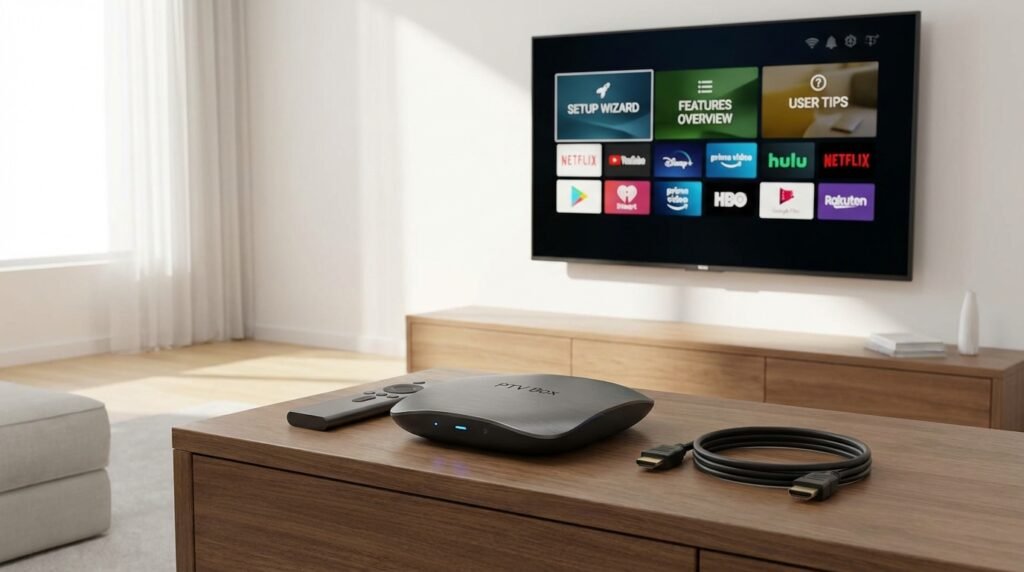
Streaming television has changed dramatically over the past few years, and the IPTV box sits at the centre of that shift. Whether you’re cutting the cord for the first time or upgrading your current setup, understanding how these devices work — and how to get the most out of them — makes a genuine difference in your daily viewing experience.
This guide covers everything you need to know heading into 2026: what an IPTV box actually is, how to set one up from scratch, which features matter most, and the practical tips that separate a frustrating stream from a seamless one.
What Is an IPTV Box and Why Does It Matter?
An IPTV box is a dedicated piece of hardware that connects to your television and delivers live channels, on-demand movies, and series content over your internet connection rather than through a satellite dish or cable line. Think of it as a smart bridge between your subscription and your screen.
Unlike a smart TV with built-in apps, a standalone IPTV box is purpose-built for streaming performance. It typically runs a lightweight operating system, supports high-resolution playback, and handles the processing load so your TV doesn’t have to. The result is faster channel switching, less buffering, and a more consistent picture.
For Canadians who are tired of paying for bloated cable packages — and who want access to content like NHL games, CFL matches, CBC, CTV, TSN, and Sportsnet without locking into an expensive contract — an IPTV box paired with the right subscription is one of the most practical solutions available today. If you’re still weighing your options, our breakdown of IPTV vs cable in Canada lays out the key differences clearly.
Choosing the Right IPTV Box in 2026
Not every device is created equal. Before you commit to hardware, it helps to understand what separates a capable box from one that will frustrate you within weeks.
Key Hardware Specs to Look For
- Processor: A quad-core CPU handles 4K streaming without dropping frames. Older dual-core processors struggle with high-bitrate content.
- RAM: 2GB minimum. 4GB is preferable if you plan to run multiple apps or switch between content frequently.
- Storage: 16GB is sufficient for most users. 32GB gives you room for additional apps and cached content.
- Operating system: Android TV is the most widely supported OS, compatible with the broadest range of IPTV players and apps.
- Connectivity: Ethernet is always preferable to Wi-Fi for stable streaming. Choose a box with a built-in Ethernet port.
- Resolution support: Look for 4K HDR compatibility, even if your current TV is 1080p — future-proofing is worth it.
Popular Device Categories
Android TV boxes (such as those from Nvidia, Xiaomi, and similar manufacturers) offer the most flexibility and app support. Amazon Fire TV Stick devices are a close second in terms of ease of use, though they’re slightly more restricted in terms of sideloading apps. Our dedicated guide on using IPTV on an Android box walks through the specifics of that setup in detail, and if a Fire Stick is your preferred device, the IPTV on Firestick Canada guide has you covered.
Setting Up Your IPTV Box: Step-by-Step
Setup is straightforward when you follow the right sequence. The steps below apply to most Android-based IPTV boxes, with minor variations depending on your specific device.
Step 1: Connect Your Hardware
Plug your IPTV box into the HDMI port on your TV. Use the included power adapter — avoid USB-powered connections from the TV itself, as they rarely deliver consistent voltage. Switch your TV’s input source to the correct HDMI channel.
Step 2: Connect to the Internet
Where possible, run an Ethernet cable from your router to the box. This eliminates the interference that can affect Wi-Fi, particularly in apartments or homes with multiple devices competing for bandwidth. If you must use Wi-Fi, connect to a 5GHz network rather than 2.4GHz for better throughput.
Not sure what speed you actually need? Our guide on internet speed for IPTV outlines the minimums for SD, HD, and 4K content so you can set realistic expectations.
Step 3: Install Your IPTV Player App
Your IPTV subscription will work through a compatible player app. Common choices include IPTV Smarters Pro, TiviMate, and GSE Smart IPTV. Each has a slightly different interface, but all support M3U playlist imports and Xtream Codes connections — the two most common formats used by IPTV providers. For a detailed comparison of your options, the best IPTV app guide is worth reading before you decide.
Step 4: Enter Your Subscription Credentials
Once your app is installed, you’ll need to load your subscription. Providers typically supply either an M3U URL or Xtream Codes login (a server URL, username, and password). Enter these credentials exactly as provided — a single character error will prevent the service from loading.
After authentication, your channel list and VOD library will populate. This can take a minute or two on first load, depending on the size of the content library.
Step 5: Organise Your Channel List
Most player apps allow you to create favourites lists, hide channels you never watch, and sort content by category. Spending five minutes on this step upfront makes daily navigation significantly faster. Group your most-watched channels — sports, Canadian news, kids’ content, whatever applies to your household — into a custom favourites category.
Core Features of a Good IPTV Service in 2026
The device is only half the equation. The quality of your IPTV service determines whether you’re actually getting value. Here’s what the best services offer in 2026.
Channel Breadth and Canadian Content
A robust service should include 55,000 or more live channels, with strong representation of Canadian broadcasters. Look for CBC, CTV, Global, TSN, Sportsnet, RDS, and regional stations across multiple provinces. Sports fans should also check for coverage of NHL, NBA, MLB, CFL, and international leagues.
VOD Library Depth
Live TV is only part of the picture. A library of 140,000+ movies and series means you’re never short of something to watch. The best services update their VOD catalogues frequently and include new theatrical releases alongside classic content.
Streaming Stability and Anti-Buffering Technology
Buffering is the single biggest complaint among IPTV users. The difference between a frustrating service and a reliable one usually comes down to server infrastructure. Services running on 20 Gbps servers with built-in Anti-Freeze™ technology deliver consistent streams even during peak viewing hours like Saturday night hockey games.
If you’re already experiencing buffering on a current setup, there are practical fixes available — our IPTV buffering fix guide covers the most effective solutions.
Multi-Device Support
Your subscription should work across multiple devices simultaneously. Whether you’re watching the game on the living room TV while someone else streams a series in the bedroom, or you want to catch up on your iPhone while travelling, multi-connection support matters. Canadians on the go can also check out our guide to IPTV on iPhone in Canada for mobile-specific setup instructions.
Electronic Programme Guide (EPG)
A well-populated EPG shows you what’s on now, what’s coming next, and lets you browse the schedule hours ahead. This is essential for sports — knowing exactly when a game starts without having to hunt through a browser makes the experience feel close to traditional cable.
Expert Tips for Getting the Most from Your IPTV Box
Once your setup is running, these tips will help you maintain performance and avoid the common issues that frustrate new users.
Use a VPN for Privacy and Consistency
Some Canadian ISPs throttle streaming traffic, particularly during evenings and weekends. A VPN routes your traffic through an encrypted connection, preventing your ISP from identifying and slowing IPTV streams. Choose a VPN with fast servers and no-log policies. Our guide to the best VPN for IPTV in Canada recommends specific services tested with IPTV traffic.
Restart Your Box Weekly
Streaming devices accumulate cached data over time. A weekly restart clears temporary files, frees up RAM, and ensures the device isn’t running background processes that eat into performance. This single habit prevents the majority of slowdown complaints.
Keep Your App Updated
Player apps receive regular updates that fix bugs, improve compatibility, and sometimes add new features. Set a reminder to check for updates monthly, or enable auto-updates if your device supports it.
Test Different Stream Qualities
Most channels are available in multiple quality levels — SD, HD, and FHD or 4K where supported. If a high-quality stream is buffering, switching to a lower-resolution version of the same channel will usually resolve the issue, particularly if your internet speed fluctuates. This is a quick fix for live sports when you can’t afford interruptions.
Set Up a Dedicated Wi-Fi Band for Streaming
If you can’t use Ethernet, create a separate 5GHz Wi-Fi network for your IPTV box and keep it away from devices that generate interference. Many modern routers allow you to prioritise specific devices using QoS (Quality of Service) settings — assign highest priority to your streaming device.
Use Parental Controls
If you have children in the household, most IPTV player apps include parental control features that can restrict access to adult content categories. Set these up before handing the remote to anyone under 18. Some services also allow you to configure restrictions at the account level.
Online Recharging and Managing Your Subscription
One of the practical advantages of IPTV over traditional cable is the simplicity of subscription management. Renewing, upgrading, or reactivating a plan takes minutes through an online portal rather than a phone call to a service centre.
When your plan is close to expiry, you’ll typically receive a notification through your player app or via email. Most providers allow seamless renewal that preserves your channel lists and favourites without requiring you to re-enter credentials. IPTV in Canada plans start at C$19.99/month, with longer commitments offering significantly better value — the 12-month Diamond plan is priced at C$79.99 and includes three bonus months, effectively bringing the monthly cost well below C$7.
If you want to explore what’s available before committing, a free trial in Canada lets you test the service on your actual device before any payment is required. There’s also a 7-day money-back guarantee for new subscribers who want additional reassurance. For a full breakdown of pricing tiers, the IPTV cost in Canada guide has a clear comparison.
Frequently Asked Questions
Do I need a special IPTV box, or can I use a regular Android TV?
Any Android TV device that supports app installation will work. You don’t need a proprietary box — a standard Android TV box or even an Amazon Fire TV Stick can run IPTV player apps effectively. The key is choosing hardware with enough RAM and processing power to handle your preferred stream quality.
Is using an IPTV box legal in Canada?
The device itself is entirely legal. What matters is the content your subscription provides access to and whether that content is properly licensed. Our detailed article on IPTV legality in Canada explains the nuances clearly so you can make an informed decision.
What internet speed do I need for an IPTV box?
For HD streaming, a minimum of 10 Mbps per active stream is a safe benchmark. For 4K content, plan for 25 Mbps or more per stream. If multiple people are streaming simultaneously, ensure your total bandwidth can support the combined load without degradation.
Can I use an IPTV box on a smart TV?
Yes — your IPTV box connects via HDMI and works with any television. However, many smart TVs can also run IPTV apps natively without a separate box. If your TV supports app installation, check our guide on IPTV on smart TV for the relevant setup steps.
What happens if my IPTV service buffers during a live game?
First, check your internet connection. If the connection is stable, try switching to a lower-quality stream of the same channel. Closing other apps running in the background and restarting the player app usually resolves the issue. For persistent problems, our buffering fix guide covers more advanced solutions including DNS changes and router settings.
How many devices can I connect to one IPTV subscription?
This depends on the plan. Most providers offer single-connection and multi-connection plans. If you want to stream on a TV and a mobile device at the same time, confirm that your plan supports simultaneous connections before subscribing.
Conclusion
Setting up an IPTV box in 2026 is a straightforward process when you follow the right steps and choose a service built for reliability. From selecting hardware with the right specs to configuring your player app, organising your channels, and maintaining performance over time, the investment pays off quickly in both content access and monthly savings compared to traditional cable.
The key is pairing good hardware with a service that delivers — one with a deep channel library, strong Canadian content, anti-buffering technology, and responsive support. If you’re ready to see how the experience compares to what you’re paying for now, take a look at our best IPTV Canada 2026 guide for a curated shortlist, or explore the full IPTV Canada review to understand exactly what’s included. Better streaming starts with the right setup — and that setup is simpler than most people expect.